Systematic reviews you can audit and reproduce.

Screening, extraction, synthesis, and quality assessment: one connected project from first import to network meta-analysis. Analysis runs on meta, netmeta, metafor, and bayesmeta. The same packages statisticians use directly.

MCP connector

Let your agent work from the review record.

Coventra MCP connects Claude, Codex, and other MCP-capable clients to the evidence already inside your project. In the latest benchmark, the connector screened a real oncology SRMA queue, prepared 11 PDF-ready included studies, and supported protocol-guided extraction proposals from source-backed evidence.

Agents can draft extraction, screening, and quality proposals from bounded PDF evidence. Every write remains proposal-only until a researcher accepts it in Coventra.

Explore Coventra MCP
421Records screened in the benchmark project
11Included PDFs ready for extraction evidence
17Configured protocol outcomes carried into extraction
3Validated outcome rows in the fresh extraction pass

Built for complete evidence synthesis

Pairwise analysis
Network analysis
Single-group analysis
See the full workflow

Every judgment stays connected to the evidence

Most systematic reviews run across four separate tools — a screening app, a shared extraction spreadsheet, a statistical package, a word processor for tables. The connections survive in exported CSVs and email threads. When a co-author asks how an extracted value changed between versions, or a journal asks for the screening decisions behind a PRISMA count, the answer requires reconstructing work that was never linked in the first place. Coventra replaces the handoffs.

Platform

One review, one connected record

One project holds studies, screening decisions, extracted data, quality assessments, and analysis runs together. No spreadsheet hand-off between stages.

01 · screening

Search and screen without losing the decision trail

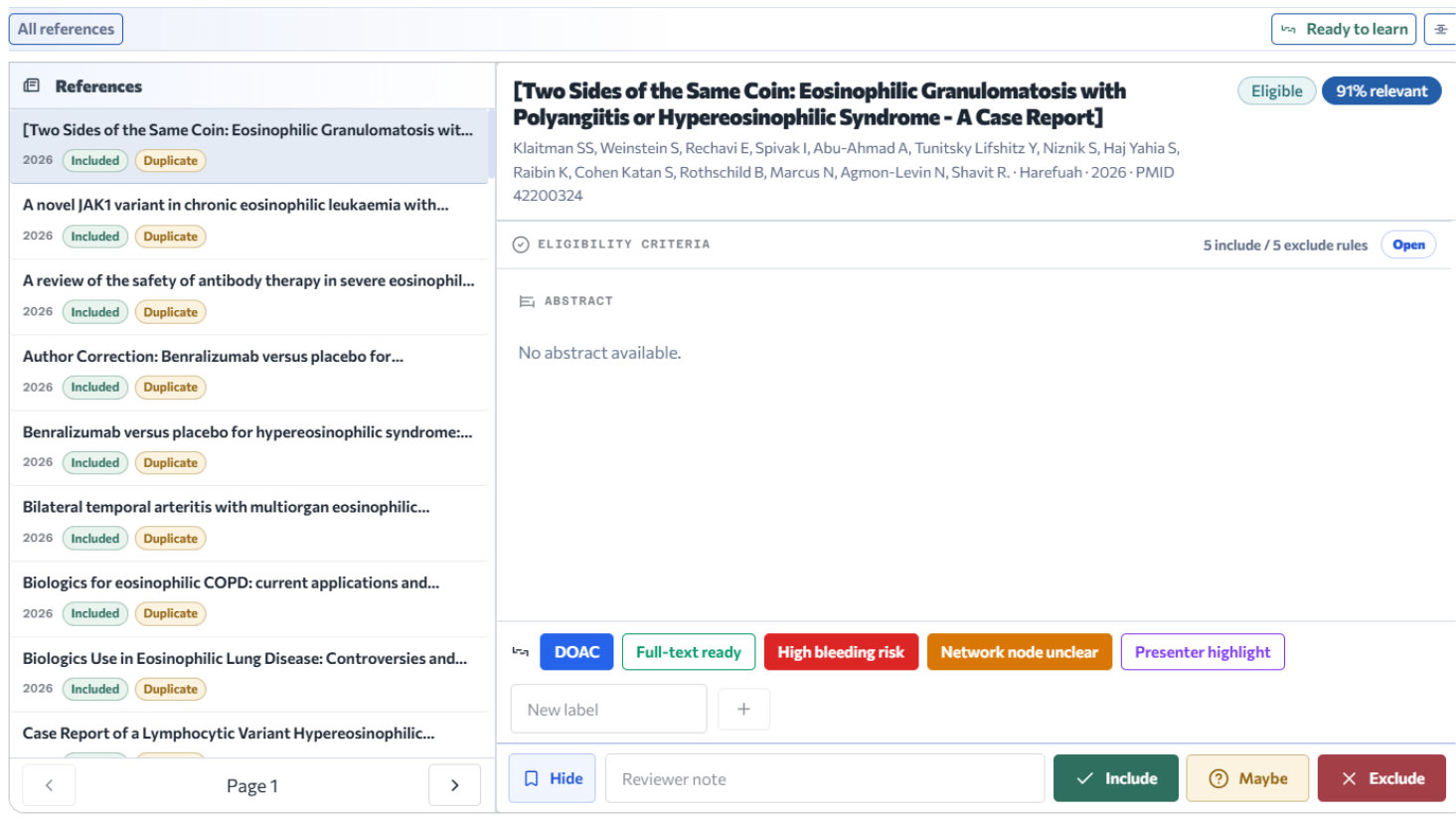
Import studies from supported sources, review both screening phases, and preserve reviewer decisions separately from consensus.

  • Search PubMed, Crossref, OpenAlex, and Europe PMC, then import selected results or queue a bounded import-all job.
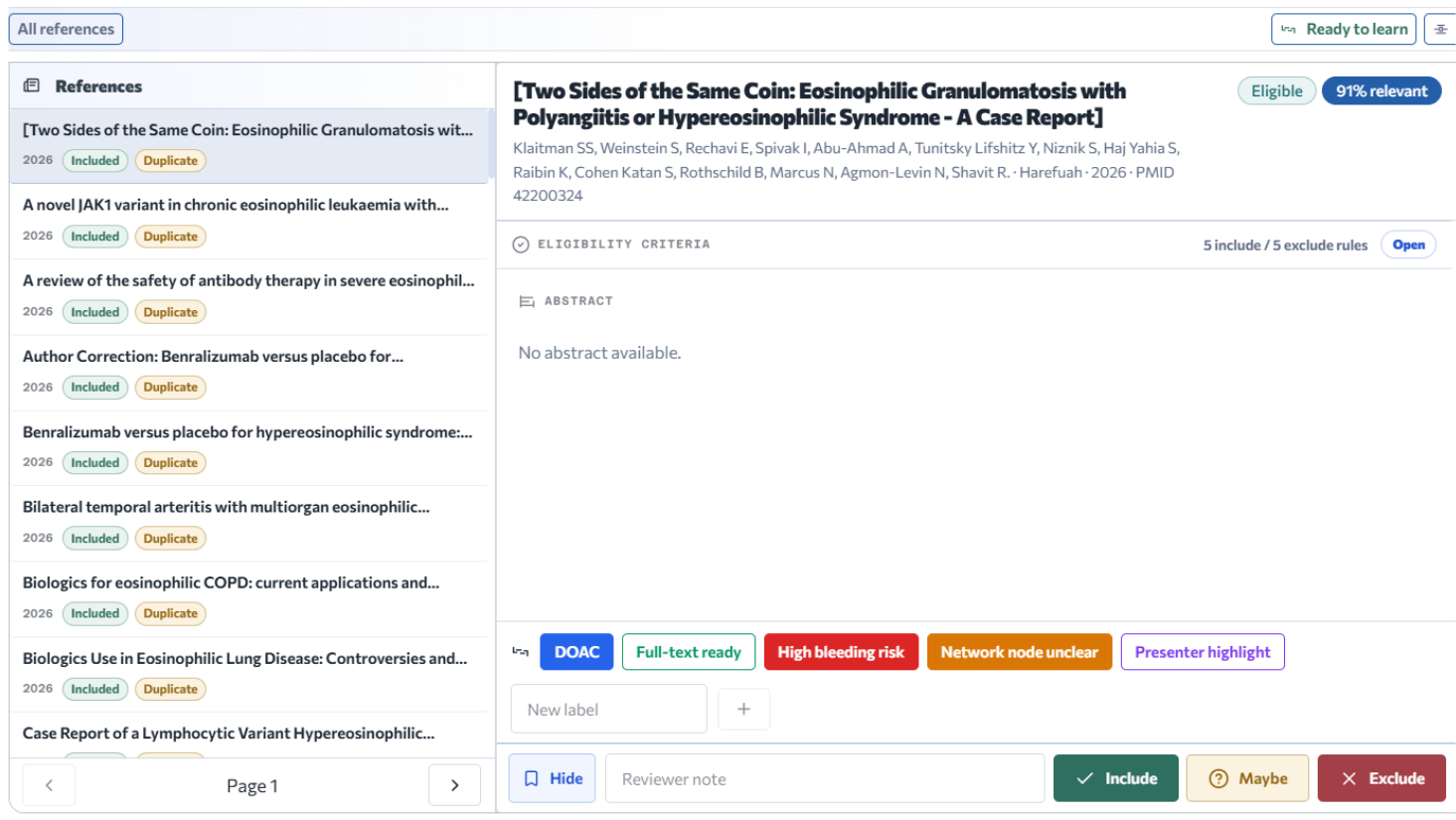
  • Use include, exclude, maybe, notes, exclusion reasons, labels, and PICO highlighting during screening.
  • Resolve duplicates and conflicts without overwriting original reviewer decisions or audit history.
  • Discover related studies through forward and backward citation chasing, then import selected results into screening.
PubMed Crossref OpenAlex Conflict log
Learn more
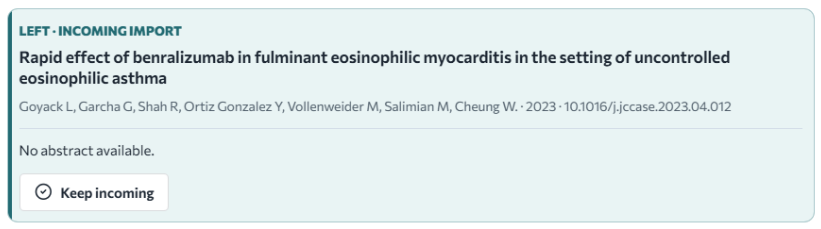
Coventra screening workspace with decisions, labels, reviewer notes, and article details
Duplicate review workspace comparing imported and existing study records
02 · extraction

Capture evidence beside the PDF

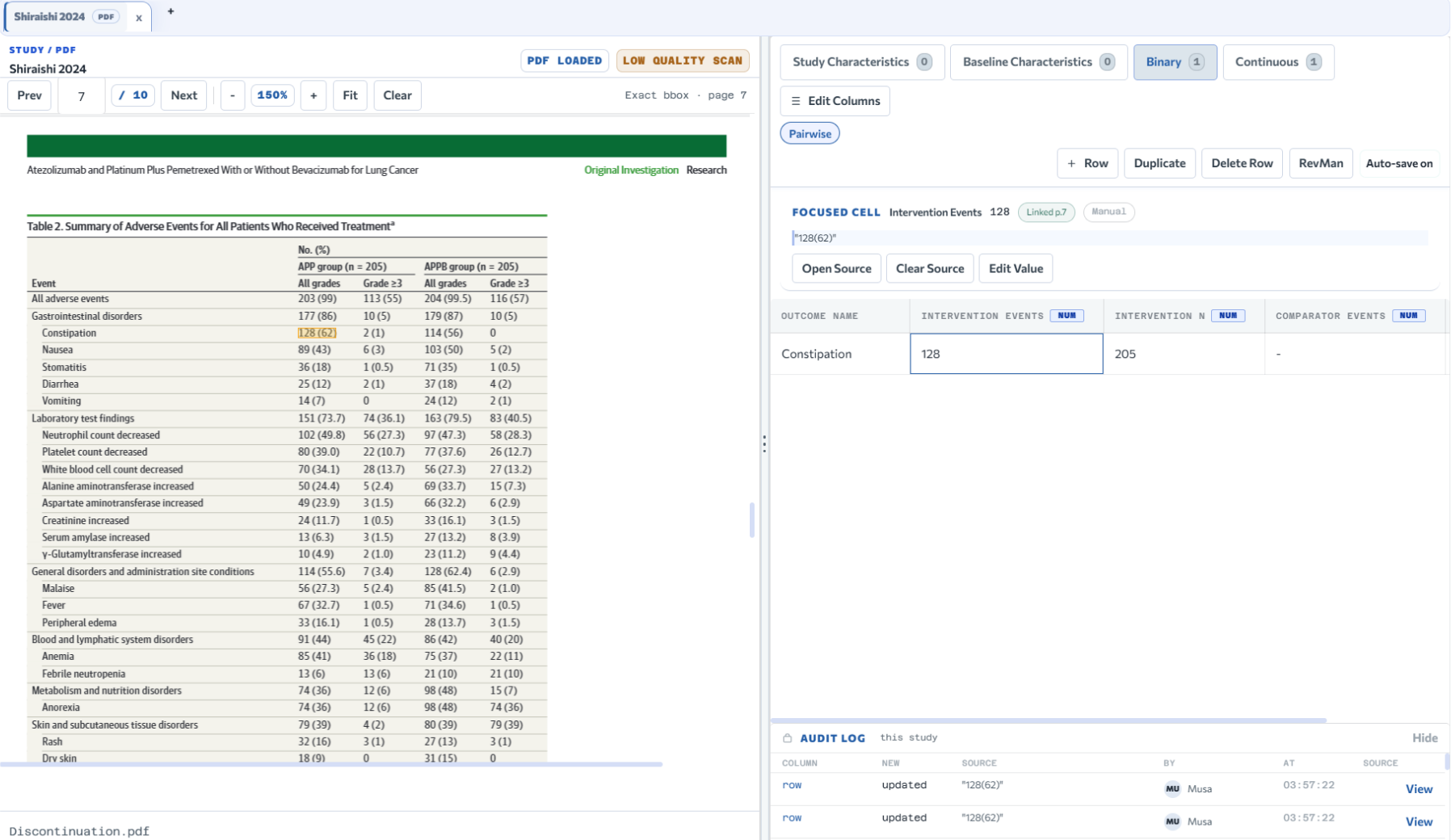
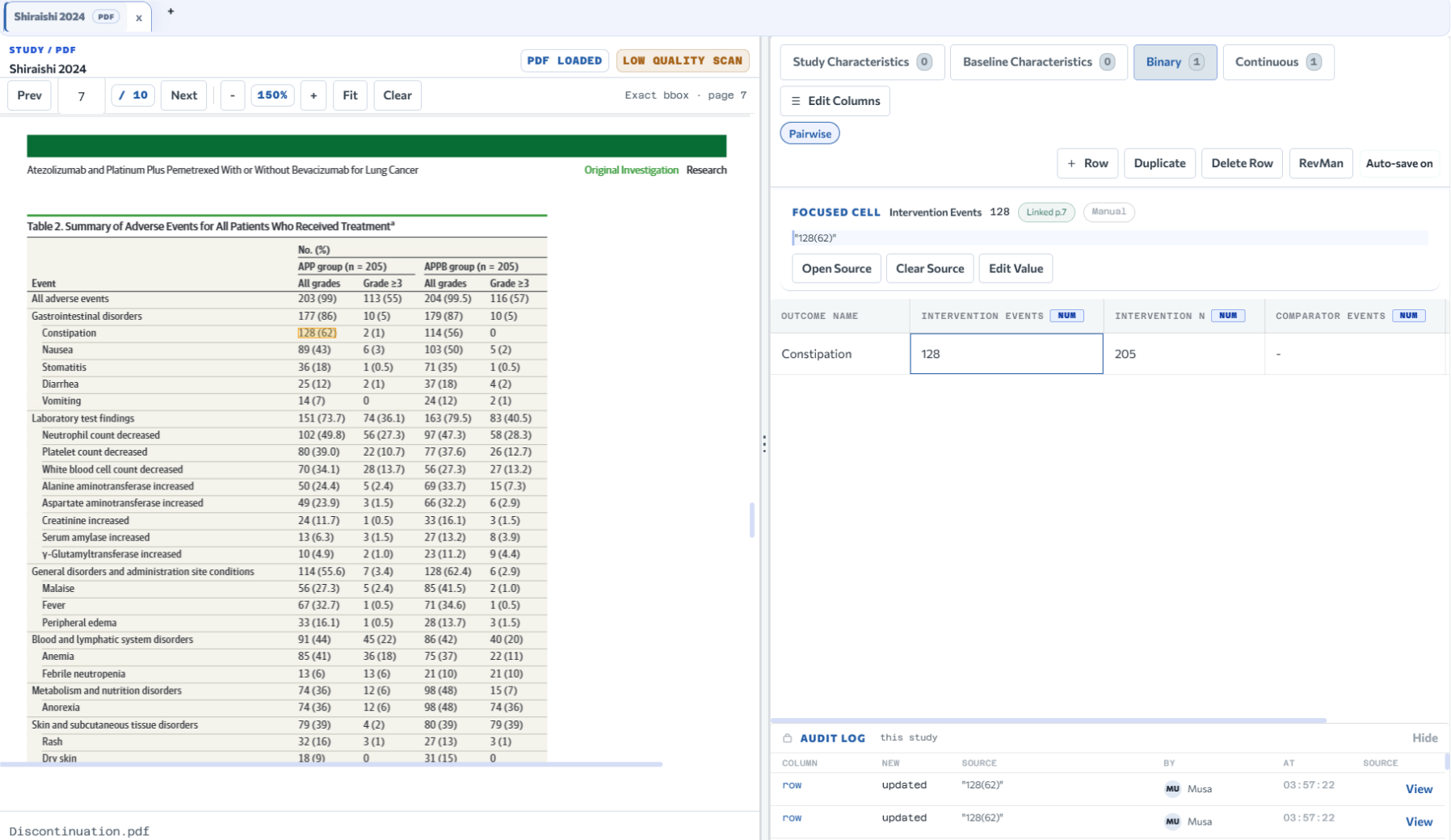
Select evidence in the open PDF and push it into extraction fields. Coventra stores source context and provenance alongside the value.

  • Capture source context and provenance for reviewer audit.
  • Extract baseline, outcome, design, and methodology data.
  • Harmonize units and common dispersion or statistical measures through built-in conversion tools.
Quote Page Provenance
Learn more
Coventra extraction workspace with structured outcome fields and PDF-backed evidence
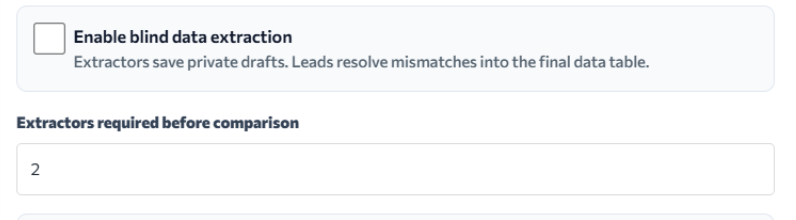
Blind extraction controls for reviewer-independent data capture
03 · synthesis

Run analysis on what you've already extracted

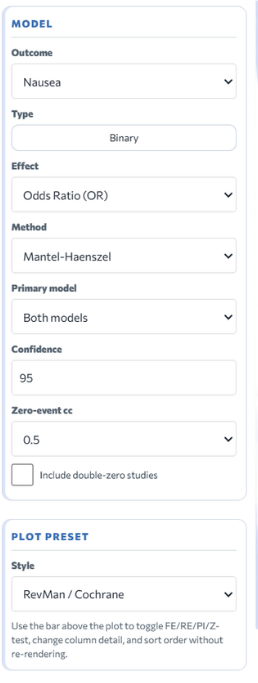
The outcomes, treatment arms, and effect measures you set up carry into the analysis workspace. No re-entry, no format conversion.

  • Use continuous, binary, generic, and time-to-event analyses.
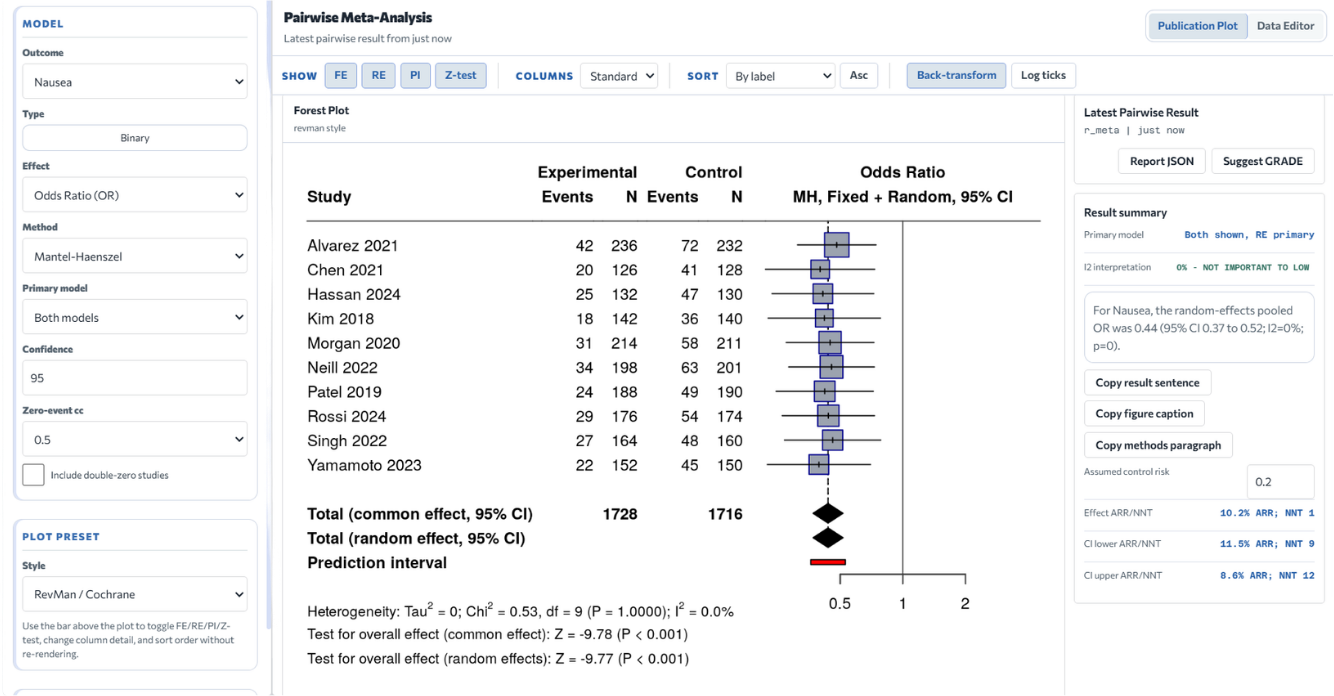
  • Review forest plots, diagnostics, subgroup runs, and bias views.
  • Run statistical work and plots through a dedicated R-based service with inspectable methods.
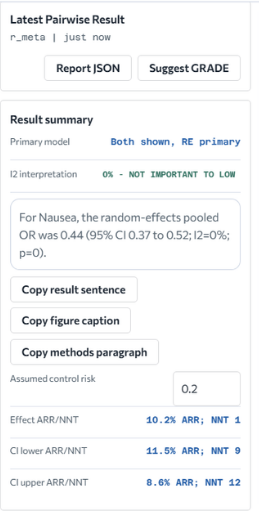
  • Use interpretation aids such as NNT and ARR where supported, alongside human-reviewable GRADE profiles.
Pairwise Network Diagnostics
Learn more
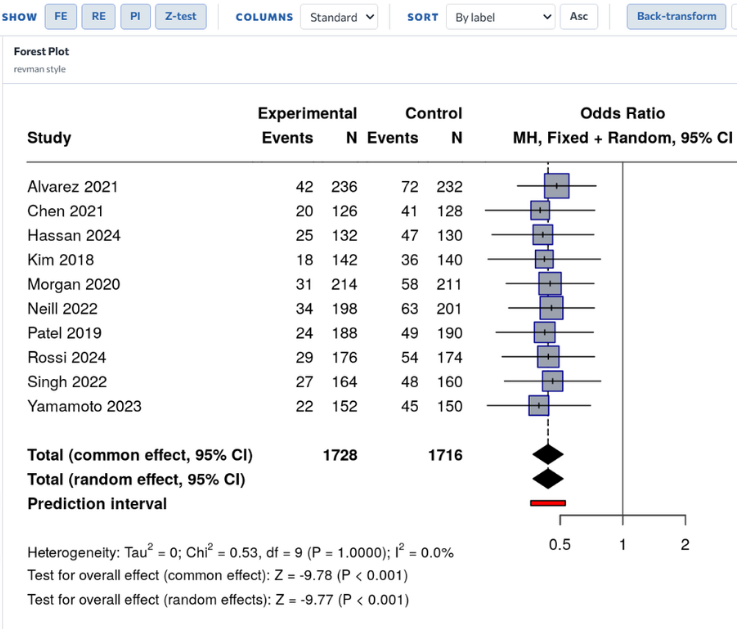
Coventra analysis forest plot output with study estimates and pooled result
Coventra analysis model settings panel
Coventra analysis result summary panel
04 · appraisal

Assess quality in the same record

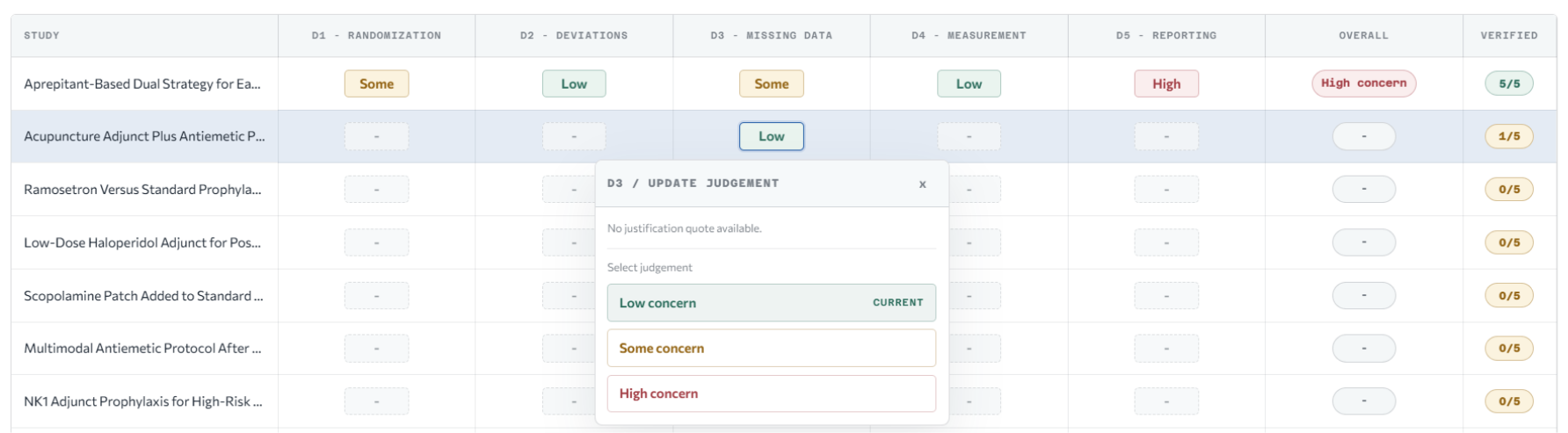
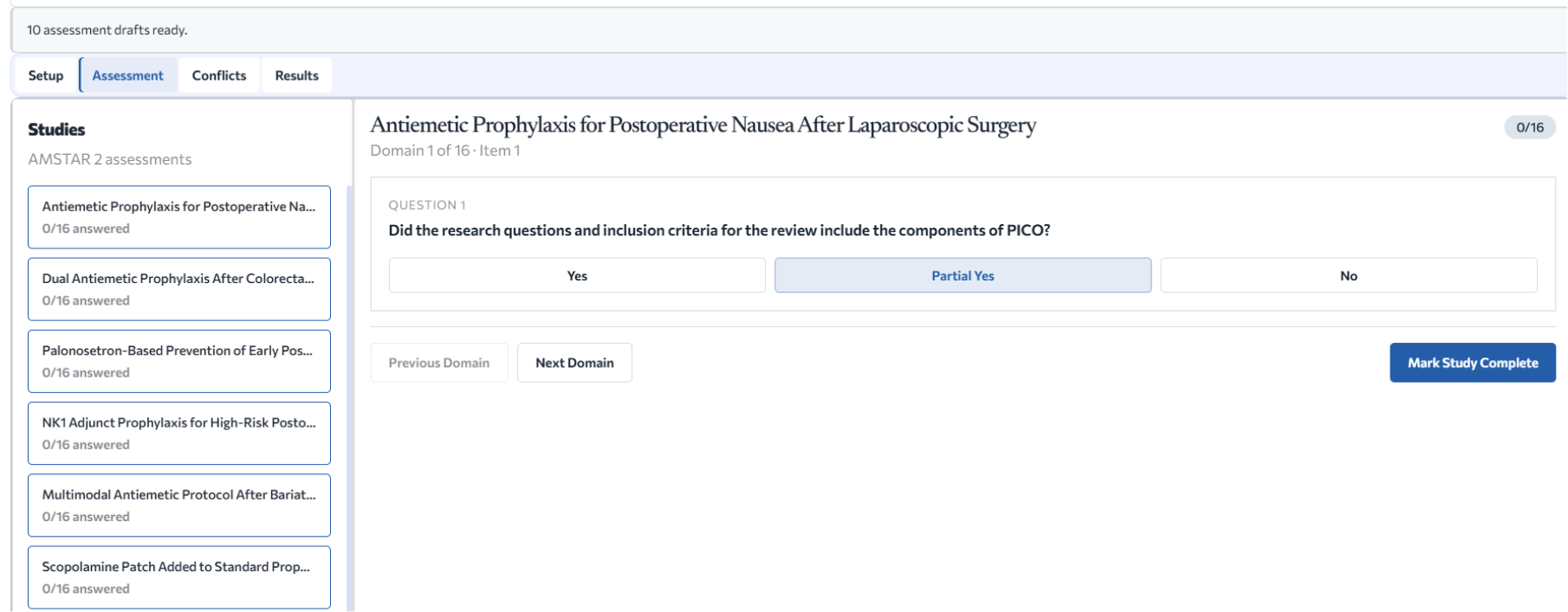
Score assessment templates, log your rationale, resolve disagreements between reviewers, and tie the findings to your GRADE work.

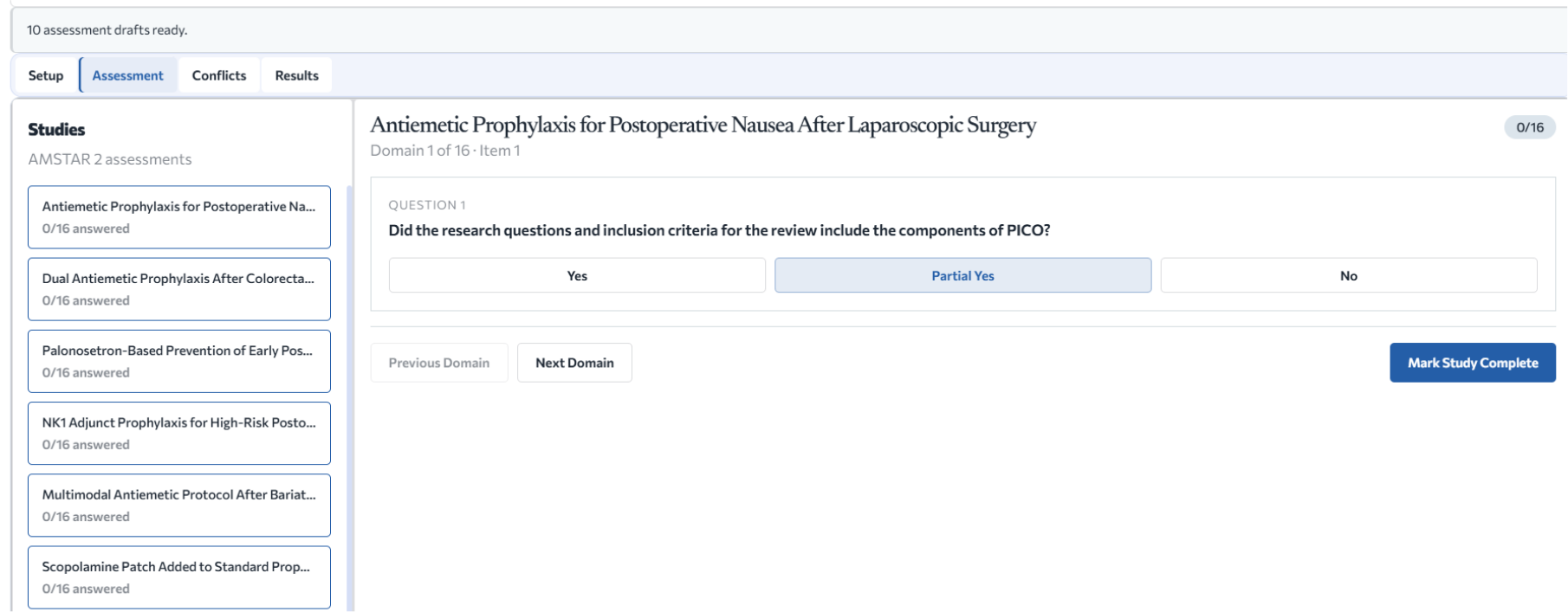
  • Use bundled AMSTAR 2 and Newcastle-Ottawa templates.
  • Upload generic templates and track score-domain discussion.
AMSTAR 2 NOS GRADE
Learn more
Risk of bias assessment table with domain judgments
Risk of bias compatibility menu for assessment setup
05 · collaboration

Coordinate reviewers without splitting context

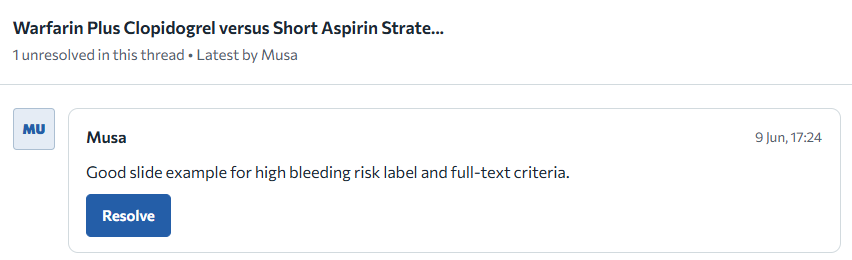
Blind screening, assigned workloads, threaded comments, and a shared activity log—inside the project, without a separate coordination tool.

  • Invite full-project or screening-only members.
  • Resolve conflicts and inspect comments, tasks, and audit events.
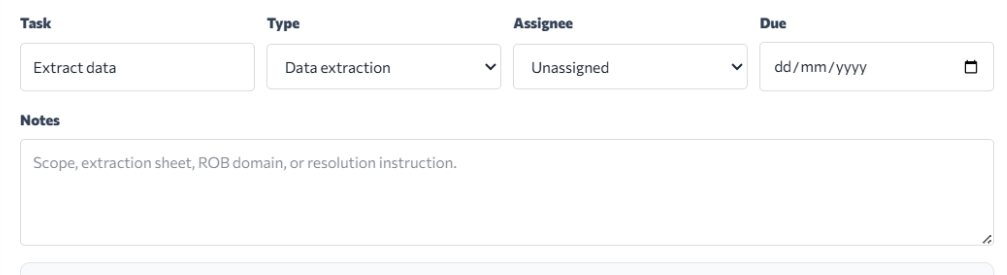
  • Assign extraction, risk-of-bias, conflict-resolution, and screening work; assignees can update their own task status.
Blind mode Tasks Audit log
Learn more
Coventra comments workspace for review discussion and project activity
Assign work panel for coordinating reviewer tasks
06 · export

Export what journals, auditors, and co-authors need

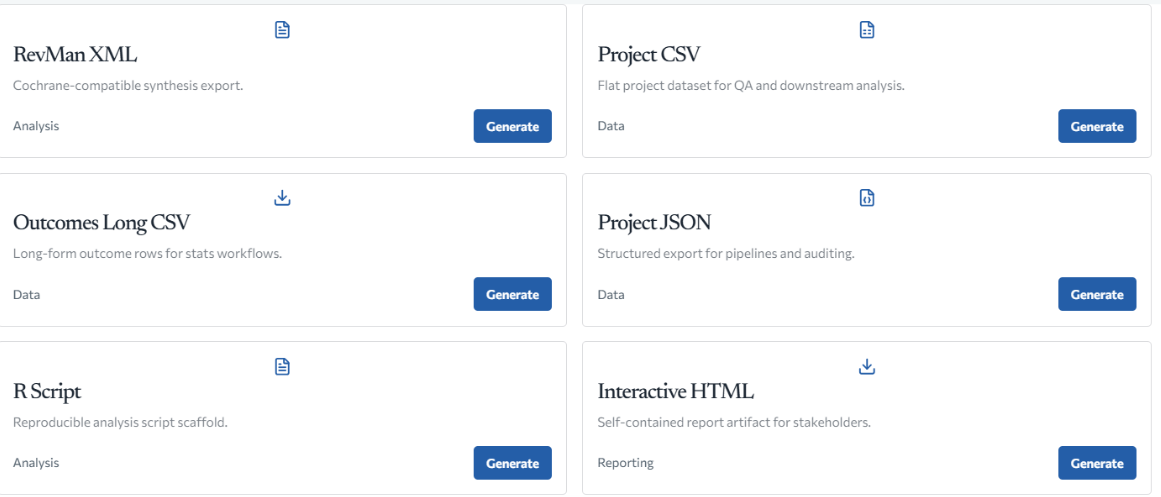
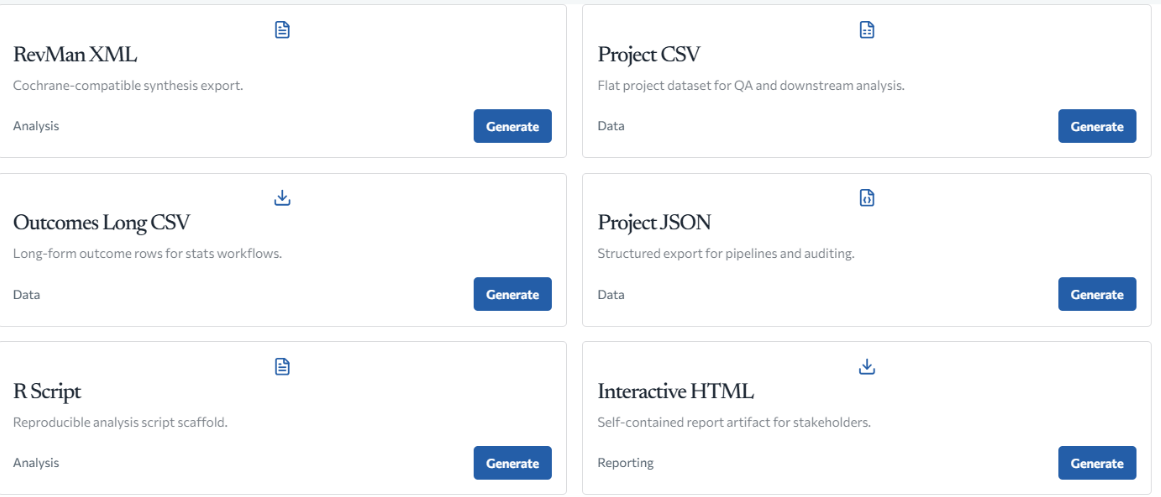
Download datasets, PRISMA material, manuscript tables, references, R scripts, audit workbooks, and reproducibility packages. Twenty-two export actions in one place.

  • Download project and outcome datasets, JSON, and R script scaffolds.
  • Generate PRISMA material, manuscript tables, references, and GRADE CSV.
Datasets PRISMA GRADE CSV Audit workbook
Learn more
Coventra export workspace for datasets, reports, references, and reproducibility files
Why Coventra

Built around the decisions a review makes

Systematic reviews get peer-reviewed, submitted to journals, and sometimes formally audited. Coventra is built for that scrutiny — when a reviewer asks how a number was produced, the record holds the extracted value, the source page, the reviewer who entered it, the analysis settings, and the R package version that computed the result.

Traceable

Screening decisions, conflict resolutions, and extracted values export with reviewer names, timestamps, and PDF-level provenance. The chain from imported reference to reported number is preserved at every step.

Reviewer controlled

Active learning prioritizes the screening queue but makes no decisions. Reviewer control surface as drafts that require a reviewer's acceptance before they become data. The statistical methods are inspectable R package calls, not a proprietary score.

Analysis aware

Set up the synthesis type once. Extracted outcomes, arm labels, and effect measures carry directly into the analysis workspace — pairwise, network, or single-group — without re-entry or format conversion.

Exportable

Twenty-two export actions: PRISMA 2020 checklist, PRISMA-S search log, manuscript tables, GRADE Summary of Findings, R script scaffold, RevMan XML, reproducibility ZIP, and an audit workbook with individual reviewer decisions.

Workflow

From imported records to a reportable result

01

Set up the review

Create the project, choose pairwise, network, or single-group analysis, configure arms or treatments, and register outcomes.

02

Gather and screen studies

Import files, search supported sources, deduplicate records, complete both screening phases, and maintain PRISMA counts.

03

Extract with provenance

Extract structured data from the open PDF. Source context and provenance stay attached automatically.

04

Analyze and grade

Run the model, inspect plots and diagnostics, save the run, and work through GRADE profiles when applicable.

05

Export the work

Download project datasets, references, review tables, validation output, audit material, and supported report packages.

Screening workspace
Extraction workspace
Risk and quality workspace
Analysis workspace with forest plot and result summary
Export workspace
Reviewer control

Automation supports the review. Reviewers make the judgment.

Screening

Active learning prioritizes records; reviewers make every inclusion decision.

Reviewer control

Optional automation is advisory only; reviewers remain responsible for entered study data.

Analysis

Methods, settings, plots, and saved results are downloadable and auditable at any time.

Resources

Help and community, where you need them

The review workspace stays focused on the project record. Help articles and community sit one click away without crowding it.

01 · help

Articles for every part of the workflow

Step-by-step articles for workspace setup, screening, extraction, analysis, quality, collaboration, and exports. Launch access and account basics too.

02 · community

Where reviewers compare notes

The community app is for conversations that belong outside the project record—sharing methods, comparing approaches, general discussion. The review itself stays in the workspace.

FAQ

Launch access is free for new accounts. It includes 2 active projects per account, 5 full collaborators per project, and 8 screening-only members per project. Larger packages are coming soon, and no payment method is required during launch.

Screening searches PubMed, Crossref, OpenAlex, and Europe PMC. Studies also support DOI metadata lookup through Crossref, RIS or Rayyan-style import, citation discovery, direct PDF upload, and per-study open-access fetch jobs.

No. Active learning prioritizes records rather than deciding them. Optional automation is advisory only; reviewers remain responsible for entered study data. Conflict resolution preserves original reviewer decisions and records the consensus outcome separately.

Coventra includes AMSTAR 2 and Newcastle-Ottawa cohort and case-control templates. Teams can upload their own templates from CSV, JSON, DOCX, XLSX, or XLSM.

Statistical work and plots run through a dedicated R Plumber service using named statistical packages. The methods behind saved results, plots, and tables remain reviewable alongside the project data and analysis settings that produced them.

Exports include project and outcome datasets, JSON, an R script scaffold, PRISMA and PRISMA-S material, included studies and manuscript tables, references, GRADE Summary of Findings CSV, reliability and validation reports, and several auditable workbooks or reproducibility outputs.

Yes. Coventra accepts RIS files and Rayyan-style imports, so records exported from most reference managers, databases, or existing screening tools will import cleanly. DOI metadata lookup through Crossref is also available for individual records.

Screening-only members can join for free and have no per-member cost. Full collaborators count against the launch collaborator limit. Your collaborators don't need their own paid subscription—access follows the project, not the individual account.

Yes. PRISMA flow counts are tracked throughout the review and exported as a PRISMA 2020 checklist CSV. The PRISMA-S search export also logs sources, strategies, result counts, and import counts for search reporting.

Statistical analysis runs through a dedicated R service using established packages—meta, netmeta, metafor, and others—not a proprietary black box. Every analysis run records the method, model settings, and input data alongside the result, so co-authors and reviewers can inspect exactly what produced each number. The full screening and extraction record exports as auditable workbooks, with individual reviewer decisions, conflict resolutions, and PDF-level provenance intact. Journals and peer reviewers can follow the chain from imported reference to reported result.

One record from first import to final export.
Start in Coventra.